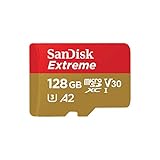
Fake SD Card Diagnostic
Spot Counterfeits Before They Cost You Your Data
Think your SD card is fake? Get a risk assessment in 2 minutes. We'll walk you through visual inspection and software testing so you know exactly what you're dealing with.
Disclosure: SD Card Checker contains affiliate links. When you purchase through our links, we earn a small commission at no extra cost to you.
Step 1: The Source
Where the card came from is the #1 indicator of authenticity.
Complete Guide: How to Spot a Fake SD Card
A counterfeit SD card is a data time bomb. It reports a fake capacity to your device, and once you pass its true limit, it begins silently overwriting your oldest files. Here is the definitive, 4-step process to identify a fake.
1 Evaluate the Source and Price
This is your first line of defense. Legitimate brands control their distribution channels tightly. If a deal seems too good to be true, it is. A brand new 512GB SanDisk Extreme Pro card will never sell for \$15 on a third-party marketplace.
- Safe Sources: The brand's official website (e.g., SanDisk.com), major electronics retailers (Best Buy, B&H Photo), or items listed as "Shipped and Sold by Amazon."
- Risky Sources: Third-party sellers on Amazon, eBay, AliExpress, Wish, and Temu. While some are legitimate, these platforms are flooded with fakes. Check seller ratings and history, but remain skeptical.
2 Scrutinize the Packaging
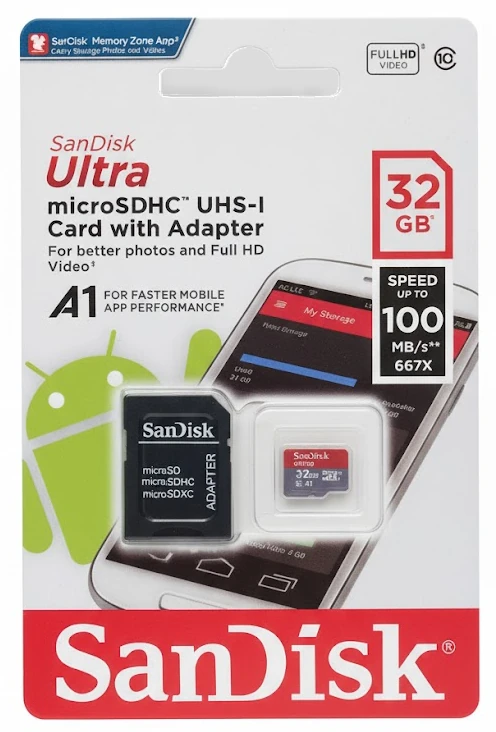
Manufacturers of genuine cards invest heavily in packaging as a security feature. Counterfeiters do not. Hold the package in your hand and look for these common flaws:
- Print Quality: Genuine packaging has razor-sharp text and graphics. Fakes often have blurry, pixelated, or slightly "off" colors due to cheap printing methods.
- Errors: Look for spelling mistakes, awkward grammar, or incorrect brand logos.
- Security Seals: Most brands include a holographic security sticker. Check that it's present and appears legitimate. Tilt it in the light to see if it reflects correctly.
- Build Quality: The cardboard should be sturdy and the plastic shell should be perfectly formed and sealed. Fakes often use flimsy materials.
3 Examine the Physical SD Card
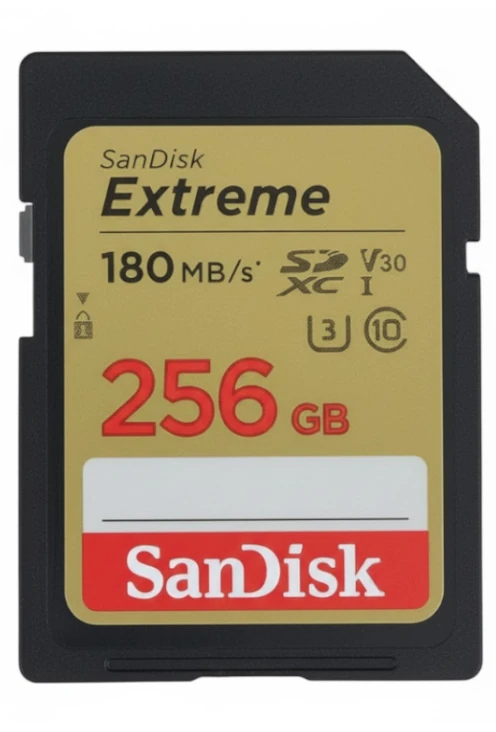
The card itself holds the final clues. The difference in manufacturing quality between a multi-billion dollar corporation and a counterfeit operation is visible if you look closely.
- Label Alignment: The label on a fake card is often slightly crooked or off-center.
- Font and Color: Compare the font on the card to official product images online. Fakes frequently use the wrong font or a slightly different shade of color.
- Print Method: Genuine cards have sharp, laser-etched text. The text on fakes often looks and feels like it was painted on, and can be blurry or smear easily.
- Edge Quality: A real SD card has smooth, perfectly molded plastic edges. Fakes may have rough or uneven edges from a cheaper manufacturing process.
- Heat Seal Indentations: Genuine cards have clear indentations around the perimeter from the heat seal machine, including two small half-circles on the top. Fake cards made with cheaper self-adhesive technology won't have these.
- Retail Hook Hole: The hook hole (for store display) should be cleanly cut and clear. Fake cards often have an unclear hole with unremoved cut parts around it.
4 The Definitive Test: Software Verification
Visual checks are helpful, but this is the only way to be 100% certain. Testing software writes data to every single block on the card and then reads it back. This process reveals the card's true capacity, exposing any lies.
For Windows: H2testw
The gold standard for testing. It's a simple, portable utility that will report the true capacity and any write/read errors.
Download from Heise.de →For macOS: F3 (Fight Flash Fraud)
A powerful command-line alternative for Mac users. It performs the same function as H2testw and is highly reliable.
Download from GitHub →⚠️ Warning: Before you begin, back up any files on the card. This test is destructive and will erase all data. A full test can take several hours on large-capacity cards. Be patient.
Frequently Asked Questions
Can Amazon sell fake SD cards?
Yes, specifically from third-party sellers on the Amazon Marketplace. Items listed as "Shipped and Sold by Amazon.com" are sourced directly and are almost always genuine. If the seller is "XYZ Electronics" with 500 reviews, the risk is significantly higher. Always check the seller information before buying.
What happens if I use a fake SD card?
A fake card lies about its storage capacity. For example, a fake 512GB card may only have 32GB of real space. Your device will appear to save files normally until you exceed 32GB. At that point, the card's controller will start overwriting your oldest files to make room for new ones, leading to silent, permanent data loss.
Is there a SanDisk or Samsung authenticator app?
No. This is a common misconception. Major brands like SanDisk, Samsung, and Lexar do not offer official "authenticator" apps. Any app in the app store claiming to do this is unofficial and should not be trusted. The only reliable verification method is a full capacity test with trusted, open-source software like H2testw or F3.
Can I recover files from a fake SD card?
Recovery is highly unlikely for data that has been overwritten. Your first step should be to immediately stop using the card and copy any visible files to your computer. After that, you can try running free recovery software like PhotoRec, but there is no guarantee you will get back files that were stored in the "fake" part of the memory.
How long does a capacity test take?
Be patient. The duration depends entirely on the card's advertised capacity and the speed of your card reader. A USB 3.0 reader will be much faster. As a rough guide: a 64GB card can take over an hour, and a 256GB card can take 4-5 hours or more. It is a long, but necessary, process for definitive proof.
Buy Authentic Cards
This website contains affiliate links. We may earn a small commission when you purchase through our links at no extra cost to you.
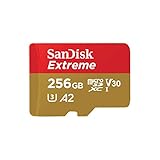
SanDisk 256GB Extreme microSDXC UHS-I Memory Card with Adapter - Up to 190MB/s, C10, U3, V30, 4K, 5K, A2, Micro SD Card - SDSQXAV-256G-GN6MA

Sandisk SDSQXCD-128G-GN6MA Extreme Pro Microsdxc 128gb+sd Flsh Adapter 200mb/s 90mb/s A2 C10 V30 U