
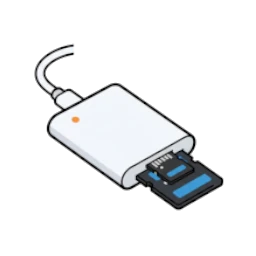
Best SD Card Readers for iPhone 15 & 16
Cable-style USB-C readers protect your charging port. These are the fastest ones for offloading photos on the go.
SD Card Checker contains affiliate links. When you purchase through our links, we earn a small commission at no extra cost to you.
Which iPhone Do You Have?
- iPhone 15 / 16: Limited to USB 2.0 (60 MB/s). Don't buy expensive high-speed readers; you won't see the benefit.
- iPhone 15 Pro / 16 Pro: Supports USB 3.0 (up to 280 MB/s real-world). You need a UHS-II reader and card to reach these speeds.
- iPhone 16 vs 15: Same USB-C connector, same speed tiers. Reader recommendations are identical for both generations.
Protect Your Port
Avoid rigid "Stick" dongles. If it plugs directly into the phone like a thumb drive, one accidental bump can snap your iPhone's USB-C port internally.
Always choose a reader with a flexible cable.
Top Safe Recommendations
Apple USB-C Reader
The gold standard. Guaranteed to work with iPhone 15/16 without draining battery. Flexible cable design protects your port from damage.
SanDisk Extreme PRO
If you have iPhone 15 Pro, get this. Reaches USB 3 speeds (about 300 MB/s) for fast 4K video transfers. Safe, flexible cable.
Transcend RDF9
Compact hub with both USB-C and USB-A cables included. Useful if you switch between an iPhone 15 and older laptops.
Top 5 iPhone-Compatible Readers
1. Apple USB-C to SD Card Reader
OFFICIALThe "It Just Works" Choice. With 4.8 stars and 1,400+ reviews, this is the safest bet. Guaranteed not to trigger "Accessory Not Supported" errors. Crucially, the flexible cable design means you can let it dangle safely while holding your phone.
- ✓ Correct power management prevents battery drain
- ✓ Supports UHS-II speeds (for Pro models)
- ✓ Doesn't block case openings
2. SanDisk Extreme PRO USB-C
FASTESTBest for 4K Video. If you shoot ProRes video on iPhone 15 Pro, you need speed. This reader maximizes the 10Gbps USB port on Pro models. Its signature flexible "tongue" design makes it plug-friendly with thick phone cases.
- ✓ True UHS-II performance (280+ MB/s)
- ✓ Case-friendly connector
- ✓ Durable, proven build quality
3. Transcend RDF9
TRAVEL PICKA box reader protects the port. This is a small box that connects via a separate cable. This isolates your phone port from the reader's weight. Includes both USB-C (for iPhone) and USB-A (for older laptops) cables in the box.
- ✓ Fast UHS-II speeds (220–260 MB/s real-world)
- ✓ Includes both USB-A and USB-C cables
- ✓ Works with iPhone 15, Mac, Windows
4. Unitek 3-Slot Reader
MULTI-CARDIf you still use CompactFlash cards from older Canon cameras, this is one of the few USB-C readers that handles SD, microSD, *and* CF cards. Note: Cable is permanently attached, so treat it gently.
- ✓ Supports SD, microSD, and CompactFlash
- ✓ USB-C 3.0 speeds (80-100 MB/s)
- ✓ Durable aluminum housing
5. UGREEN 2-in-1 Reader
BUDGET PICKCheap & Versatile. Works, it's cheap, and fits on a keychain.
Warning: Rigid "Stick" design
Do not walk around with this plugged in. Place phone flat on table during transfer to avoid snapping your port.
How to Edit RAW Photos on iPhone (Without Filling Storage)
-
1
Don't "Import All"
Transferring 500 RAW files (50MB each) eats 25GB of space instantly. Keep them on the SD card.
-
2
Preview in "Files" App
Your iPhone can preview RAW files directly from the card reader with zero lag. Swipe through and find your winners.
-
3
Save Individual Shots
Tap the Share icon on your best shot > "Save Image". This moves only that specific photo to your internal storage for editing in Lightroom Mobile.
Frequently Asked Questions
Why does iPhone limit USB-C speeds?
iPhone 15 and iPhone 16 standard models use a bottleneck controller that limits USB to ~60 MB/s. iPhone 15 Pro and iPhone 16 Pro models use USB 3.0 for full-speed access (~280 MB/s real-world). It's a hardware limitation of those models. The reader recommendation is the same across both generations.
Can I charge my iPhone while using a reader?
Not simultaneously. iPhone only has one USB-C port. However, you can plug into power after transferring files. Most transfers complete in minutes, so it's rarely an issue.
Will a flexible cable reader damage my phone?
No. Flexible cables reduce stress on the port by absorbing physical impacts. This is why Apple's official reader uses a cable, not a rigid connector.
Why don't I recommend the Anker PowerExpand here?
Anker PowerExpand is a good reader, but it's a dual USB-C/USB-A dongle with a rigid design. For iPhone specifically, the cable-style readers (Apple, SanDisk, Transcend) are safer and better optimized.
Featured SD Card Readers on Amazon
This website contains affiliate links. We may earn a small commission when you purchase through our links at no extra cost to you.

Denlane SD Card Reader for iPhone iPad, USB C & Lightning Dual Interface Memory Card Reader, Digital Camera Adapter to iPhone/MacBook/USBC Laptop for SD/TF/Sim Card, Plug & Play, Camera Accessories

SZHAIYIJIN SD Card Reader for iPhone, Memory Card Reader with USB Camera Adapter Plug and Play Trail Game Camera Viewer Supports SD and TF Card MicroSD Card Adapter for iPad No App Required
