
Complete SD Card Guide: Find the Right Card for Your Device
Types, Speeds & Compatibility
Confused by SDHC vs SDXC? Wondering what V30 means? This guide explains everything about SD card types, speeds, and compatibility—so you buy exactly what you need.
Disclosure: SD Card Checker contains affiliate links. When you purchase through our links, we earn a small commission at no extra cost to you.
Quick Answer: Which SD Card Should You Buy?
📱 For Phones & Tablets
microSDXC, 128GB-256GB, V30 speed class. Look for brands like SanDisk or Samsung.
📷 For 4K Video Cameras
SDXC, 64GB-128GB, V30 or V60 minimum. Professional work demands V60.
💻 For Computers
SDXC, 256GB+, UHS-III for fastest speeds. Verify device compatibility first.
What Are the Different SD Card Types?
SD cards come in four main types, each with different capacities and file systems. The type determines compatibility and performance.
SD (Secure Digital) Standard
LegacyThe original SD card format is essentially obsolete. You won't find these in modern devices. Unless you have extremely old equipment, there's no reason to purchase an SD Standard card today.

SDHC (Secure Digital High Capacity)
SDHC was the standard for nearly two decades and is still widely supported. However, its FAT32 file system has limitations: individual files cannot exceed 4GB, which is problematic for long video recordings.
Key Limitation: Due to FAT32, you cannot record a single video file larger than 4GB on an SDHC card. Most modern devices now use SDXC instead.
SDXC (Secure Digital eXtended Capacity)
SDXC is the modern standard for high-capacity SD cards. It uses the exFAT file system, which was specifically designed for NAND flash memory and supports unlimited file sizes. This is the card type you should buy for new devices.
Best For: 4K video recording, large photo libraries, and any modern device. SDXC is forward-compatible with virtually all current cameras and computers.
microSD (Micro Secure Digital)
MicroSD cards are miniaturized versions of SD cards designed for space-constrained devices like smartphones, tablets, drones, and action cameras. They're about 1/5th the size of full-size SD cards.
Pro Tip: Most microSD cards come with a full-size SD adapter, allowing you to use them in standard SD card slots. microSD also comes in SDHC and SDXC variants with the same file system rules.
Understanding SD Card Speed Classes
Speed classes measure how fast a card can write data. Different standards exist because different uses require different speeds. The faster the speed class, the more expensive the card.
V V Speed Class (Video Speed Class) - For Video Recording
Specifically designed for video recording. This is the most important rating for camera users.
V6
6 MB/s minimum
Basic HD video
V30
30 MB/s minimum
4K video (most common)
V60
60 MB/s minimum
Professional 8K
Recommendation: Use V30 for 4K video on consumer cameras. Use V60 for professional work or high-bitrate 8K recording.
U U Speed Class (UHS Speed Class) - For General Use
Guarantees minimum sustained write speed for general data. Less specific to video than V-class.
U1
10 MB/s minimum
Photos, documents
U3
30 MB/s minimum
Fast I/O, 4K capable
Note: V-class ratings are more important than U-class for video. Look for V30+ on cards marketed for video.
🚀 Bus Speed (UHS Interface) - Maximum Transfer Speeds
Theoretical maximum speeds. Actual performance depends on your device supporting that interface.
UHS-I
Up to 104 MB/s
Older devices
UHS-II
Up to 312 MB/s
Most modern
UHS-III
Up to 624 MB/s
Newest cameras
Important: Your device must support the bus speed to achieve these speeds. Check your camera or computer manual for compatibility.
| Speed Rating | Min. Write Speed | Best For | Price Impact |
|---|---|---|---|
| Class 10 | 10 MB/s | HD video, older devices | Budget-friendly |
| V30 | 30 MB/s | 4K video, most users | Standard |
| V60 | 60 MB/s | Professional video, 8K | Premium |
| V90 | 90 MB/s | Ultra-high bitrate 8K | Expensive |
File Systems: Why They Matter
The file system (FAT12, FAT32, exFAT) determines how data is organized on the card and affects compatibility and performance:
FAT32 (SDHC Cards)
Limitation: Maximum file size is 4GB. This means you cannot record a single video file larger than 4GB, which is a problem for long recordings or high-bitrate 4K video.
exFAT (SDXC Cards)
Advantage: Supports files larger than 4GB, unlimited by the file system. This is why SDXC cards are ideal for 4K video and professional work.
🚀 What's New: SD Express Cards (2025)
SD Express is the next-generation SD card format with PCIe NVMe speeds. It represents the future of SD card technology:
- Speed: Up to 4 GB/s (vs. 312 MB/s for UHS-II)
- Capacity: Up to 128TB (SDUC variant)
- Use Case: 8K video, professional cinematography, high-speed data transfer
- Availability: Limited adoption. Requires device support (some new mirrorless cameras, Nintendo Switch 2)
Current Status: SD Express is available but not yet mainstream. Most users don't need SD Express yet, but it's good to know about for future purchases.
How to Choose the Right SD Card
Check Your Device's Specifications
Visit your device's manual or manufacturer website. Look for: maximum supported capacity, supported card types (SDHC, SDXC, microSD), and required speed class. Some older devices may not support SDXC or V60 cards.
Match Speed to Your Use Case
Different activities have different requirements:
- Photography: Class 10 or U3 is sufficient
- HD Video: Class 10 or V10
- 4K Video: V30 or faster (U3 minimum)
- Professional/8K: V60 or V90
Select the Right Capacity
Calculate how much you need based on your typical recording time. As a rule of thumb, get 20% more than you think you'll need. Remember that actual usable space is about 5-10% less than advertised capacity due to formatting.
Use our video storage calculator to determine exact capacity needs.
Buy From Reputable Brands
Stick to well-known manufacturers: SanDisk, Kingston, Lexar, Samsung, Transcend, and Corsair. Avoid unknown brands on marketplace sites, as counterfeit cards are common. Authentic cards come with warranty support.
Best Practices for SD Card Care & Longevity
Data Protection
- ✓ Back up important files immediately after recording
- ✓ Use a reliable USB card reader (not phone adapters)
- ✓ Never remove the card while writing or transferring
- ✓ Store in protective cases or sleeves
- ✓ Keep cards in a separate bag from your device
Maintenance & Storage
- ✓ Store in cool, dry environment (avoid extreme heat)
- ✓ Keep away from moisture and liquids
- ✓ Avoid placing near magnets or electromagnetic devices
- ✓ Don't bend or apply pressure to the card
- ✓ Clean contacts gently with a dry cloth if needed
Before Purchase
- ✓ Verify device compatibility (check manual)
- ✓ Check speed requirements for your use case
- ✓ Compare prices across retailers
- ✓ Read recent customer reviews (last 3 months)
- ✓ Check warranty terms and return policy
Common Mistakes to Avoid
- ✗ Buying unknown brands to save money (counterfeit risk)
- ✗ Ignoring device compatibility warnings
- ✗ Purchasing SDHC when SDXC is required
- ✗ Using slow cards for 4K video recording
- ✗ Trusting cards beyond their typical lifespan (5-10 years)
Frequently Asked Questions
What's the real difference between SDHC and SDXC?
The main difference is the file system and capacity:
- SDHC: Uses FAT32, supports 4GB-32GB, has a 4GB individual file limit
- SDXC: Uses exFAT, supports 32GB-2TB, no file size restrictions
For modern 4K video, SDXC is always better because you can record files larger than 4GB without the card splitting them.
Do I need V30 or V60 for 4K video?
For most 4K video: V30 (30 MB/s minimum write speed) is sufficient and is the recommended standard.
When to use V60: Professional cinematography, high-bitrate 4K (like DCI 4K), or 8K video recording.
V90 is overkill for virtually all users unless you're working with cinema equipment or ultra-high-bitrate formats.
Will an old device work with a new SDXC card?
Not necessarily. Compatibility depends on when your device was made:
- Pre-2009: Only supports SD or SDHC cards
- 2009+: Most devices support SDXC
- Exception: Some older cameras intentionally locked to SDHC only
Solution: Always check your device's manual before purchasing. If it says "SDHC compatible," it likely won't work with SDXC.
How long do SD cards last?
SD cards don't have moving parts, so they don't "wear out" like hard drives. However:
- Flash memory degrades over time; typically good for 5-10 years
- Proper storage (cool, dry) extends lifespan significantly
- Extreme heat, moisture, and physical damage reduce lifespan
- For archival use, plan for card replacement every 5-7 years
Can I use a microSD card in a full-size SD slot with an adapter?
Yes, most microSD cards come with an SD adapter that allows them to fit into full-size SD slots. The adapter is passive (no electronics) and doesn't affect performance.
However, make sure your device supports the microSD card type (microSDHC or microSDXC) and that speed ratings are compatible.
Recommended SD Cards
This website contains affiliate links. We may earn a small commission when you purchase through our links at no extra cost to you.

Kingston Canvas Go Plus 128GB microSD Card | Up to 200MB/s | Class 10, UHS-I, U3, V30, A2 | SDCG4/128GB
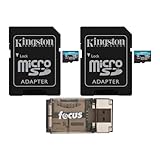
Kingston 128GB MicroSDXC Canvas Go Plus Memory Card (2-Pack) Bundle with All-in-One High Speed USB 2.0 Card Reader Compatible with Mac and PC Systems (3 Items)
