Video Codec & Bitrate Guide
H.264 vs. H.265 vs. ProRes: Choose the Right Codec to Maximize Quality & Minimize Storage
Don't let confusing terms like 'bitrate' and 'codec' compromise your video. This guide makes it simple to choose the perfect setting for your camera, workflow, and storage.
Disclosure: SD Card Checker contains affiliate links. When you purchase through our links, we earn a small commission at no extra cost to you.
Key Takeaways: Which Codec to Use
No time for details? Here’s the short answer:
Use H.264 For...
Maximum compatibility. Perfect for social media, YouTube, and sharing, as it plays on virtually any device.
Use H.265 (HEVC) For...
Saving storage. Get the same quality as H.264 in half the file size. Ideal for 4K/8K recording and modern devices.
Use ProRes For...
Professional editing. When you need maximum flexibility for color grading and post-production. The industry standard for filmmaking.
What Is a Video Codec and Why Does It Matter?
A video codec (short for coder-decoder) is a technology used to compress and decompress digital video. Think of it as a language your camera uses to shrink massive raw video files into manageable sizes.
The codec you choose directly impacts three key things: **file size** (how much storage you need), **video quality**, and **editing performance**. This guide compares the three most common codecs you'll find in modern cameras: H.264, H.265, and ProRes.
Codec Comparison at a Glance
| Codec | Typical 4K 30fps Bitrate | File Size (1 Minute) | Primary Use Case |
|---|---|---|---|
| H.264 | ~100 Mbps | ~750 MB | Universal Compatibility & Streaming |
| H.265 | ~50 Mbps | ~375 MB | Efficient Storage (4K/8K) |
| ProRes | 400+ Mbps | 3 GB+ | Professional Post-Production |
Real-World Storage Impact
To understand what these bitrates mean for a project, imagine recording **1 hour of 4K 30fps video**:
- H.264: Would require approximately 45 GB of storage.
- H.265: Would require approximately 22.5 GB of storage (50% savings!).
- ProRes 422: Would require approximately 223 GB of storage.
1 H.264 (AVC) - The Universal Standard
What Is It?
For over a decade, H.264 (also known as AVC) has been the dominant video codec. It offers a great balance of quality and file size and is supported by virtually every camera, computer, smartphone, and website in existence.
When Should You Use H.264?
- When your top priority is ensuring the video plays everywhere.
- For uploading content to YouTube, Instagram, or other social platforms.
- If you are using older editing software or a less powerful computer.
Verdict: The safe, reliable choice for everyday recording and sharing.
SD Card Needed: A V30 rated card is sufficient for most 4K H.264 recording.
2 H.265 (HEVC) - The Efficient Successor
What Is It?
H.265, or HEVC (High Efficiency Video Coding), is the modern successor to H.264. Its main advantage is superior compression: it can deliver the same video quality at about half the bitrate, which means file sizes are 50% smaller.
When Should You Use H.265?
- When you want to save storage space on your SD cards and hard drives.
- For recording high-resolution 4K or 8K footage.
- If your camera, computer, and editing software are all relatively new (made in the last ~5 years).
Verdict: The smart choice for future-proofing and saving space, if your gear supports it.
SD Card Needed: A V30 card is still often enough, as the bitrate is lower than H.264.
3 ProRes - The Professional's Choice
What Is It?
Developed by Apple, ProRes is a professional-grade codec designed for post-production. Unlike H.264/H.265 which prioritize small file sizes, ProRes prioritizes preserving image data. This makes files much larger but gives editors immense flexibility for color grading and effects work.
When Should You Use ProRes?
- For professional film projects, commercials, or high-end client work.
- When you plan to do intensive color grading or VFX.
- If your final product needs to meet strict broadcast or cinema standards.
Verdict: The ultimate choice for quality and editing flexibility, but overkill for most users due to massive file sizes.
SD Card Needed: Requires very fast cards, typically V60 or V90, depending on the ProRes variant.
Ready to Plan Your Shoot?
Now that you know your codec, use our free tool to see exactly how much recording time you'll get on any SD card.
Calculate Your Exact Storage Needs (Free) →Frequently Asked Questions
What codec is best for YouTube?
H.264 is the safest and most recommended codec for YouTube. While YouTube now accepts H.265, H.264 guarantees fast processing and flawless playback on all devices.
Can I convert H.264 to H.265 to save space?
Yes, you can convert (transcode) your files, but there's a catch. Converting from one compressed format to another (like H.264 to H.265) will always result in some quality loss. It's best to record in H.265 from the start if storage is your main concern.
What's the difference between bitrate and resolution?
Resolution (like 1080p or 4K) is the number of pixels in the image. Bitrate is the amount of data used to encode that image per second. You can have a 4K video with a low bitrate (poor, blocky quality) or a high bitrate (crisp, detailed quality). Higher quality demands a higher bitrate.
High-Speed Cards for 4K/8K Video
This website contains affiliate links. We may earn a small commission when you purchase through our links at no extra cost to you.

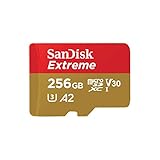
Sandisk SDSQXCD-128G-GN6MA Extreme Pro Microsdxc 128gb+sd Flsh Adapter 200mb/s 90mb/s A2 C10 V30 U
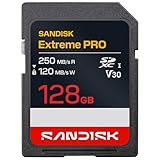
SANDISK 128GB Extreme PRO SD UHS-I Card - Up to 250MB/s Read Speed and 120MB/s Write Speed, 4K UHD, Full HD, U3, and V30 - SDSDXXJ-128G-GSCIN