
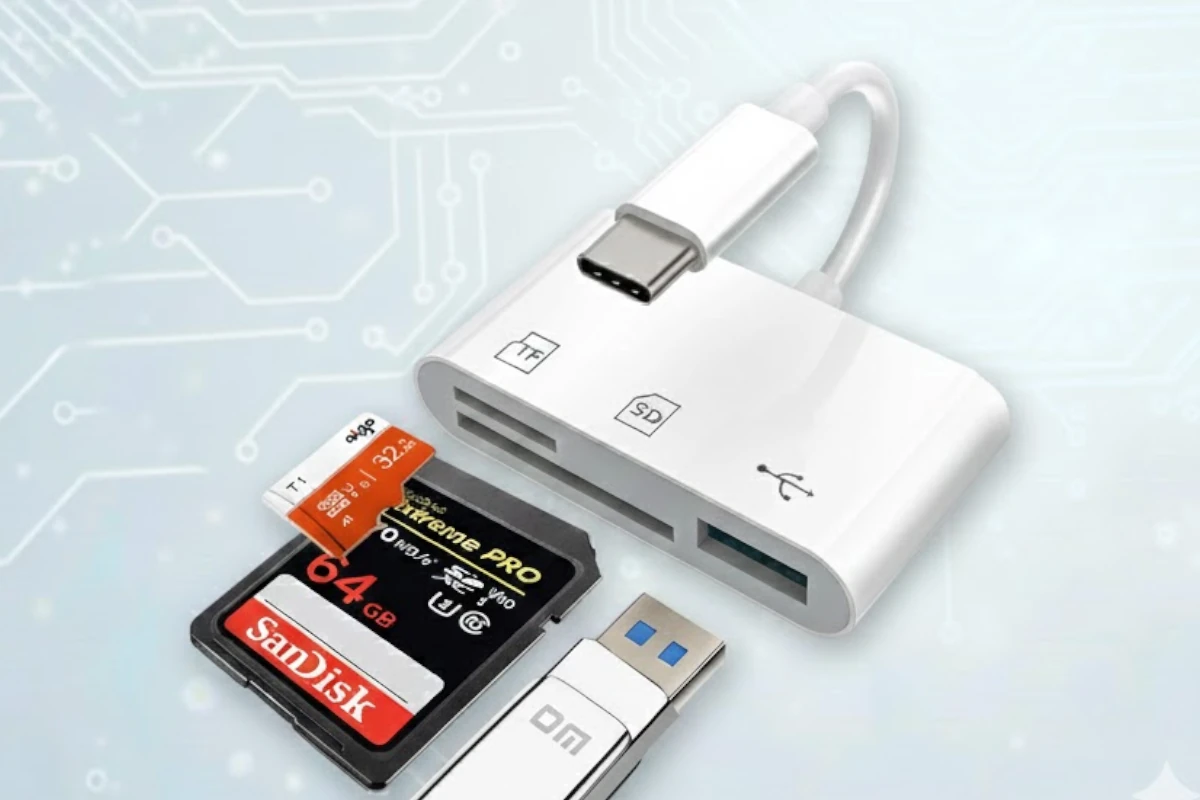
Kikosaka Universal 3-in-1
Kikosaka Universal 3-in-1
Type
Stick / Multi-Interface
Max Speed
UHS-I
Interface
Lightning + USB-C + USB-A 3.0
Price Tier
$
This website contains affiliate links. We may earn a small commission when you purchase through our links at no extra cost to you.
Featured SD Card Readers
This website contains affiliate links. We may earn a small commission when you purchase through our links at no extra cost to you.
CFexpress Type B and SD UHS-II Dual-Slot Memory Card Reader by ProGrade Digital | USB 3.2 Gen 2 for Professional Filmmakers, Photographers & Content Creators

SD UHS-II Dual-Slot Memory Card Reader by ProGrade Digital | USB 3.2 Gen 2 for Professional Filmmakers, Photographers & Content Creators

ProGrade Digital SDXC and microSDXC Dual-Slot Mobile Card Reader USB-C 3.2 Gen 2 (PGM0.5)
Who Is This For?
The ultimate 'Swiss Army Knife' of card readers. If you have an older Lightning iPhone, a USB-C iPad, and a USB-A work laptop, this single device works with all of them.
Pros & Cons
Pros
- ✓One reader for every device you own
- ✓Solves the problem of transferring data between an old iPhone and a new laptop
Cons
- ✗Lightning transfer speeds are slower (USB 2
- ✗0 speeds)
- ✗Caps can be easy to misplace
Full Specifications
| Brand | Kikosaka |
| Model | Universal 3-in-1 |
| Type | Stick / Multi-Interface |
| Interface | Lightning, USB-C, USB-A 3.0 |
| Supported Slots | SD, microSD |
| Max Speed | UHS-I |
| Transfer Rate | 5Gbps (USB) / 480Mbps (Lightning) |
| Price Tier | Budget |
Device Compatibility
Works With
iPhone (Lightning), iPhone 15 (USB-C), PC, Mac, Android
OS Support
iOS, Android, Windows, macOS
Frequently Asked Questions
Do I need an app to use the Kikosaka 3-in-1 on iPhone?
Why is the Lightning transfer slower than USB-C?
Does it fit with thick phone cases?
Compare Similar Readers
Perfect For These Devices
Based on our compatibility testing, the Kikosaka 3-in-1 SD Card Reader works excellently with: