

Compatible navigation SD cards for Toyota Corolla (2014-2019)
Top Pick
Navtimi 2025 Toyota Navigation SD Card
Covers 10 Toyota models. Plug and play. 2025 maps included. Toyota Corolla owners get 2025 maps covering USA, Canada, Mexico.
Toyota Corolla Navigation SD Card Requirements
-
Compatible Years: 2014-2019
-
Part Number: Navtimi confirmed compatible with Corolla factory navigation. Often uses part 86271-0E077 or similar.
-
Trim Compatibility: Only for Corolla trims with factory navigation (e.g., S Plus, LE Eco Premium). Most Corolla trims (L, LE, SE, XLE, XSE without specific packages) do not include factory navigation and lack an SD card slot.
Navigation SD Cards for Toyota Corolla
This website contains affiliate links. We may earn a small commission when you purchase through our links at no extra cost to you.
| SD Card | Map Year | Coverage | Pros | Price |
|---|---|---|---|---|
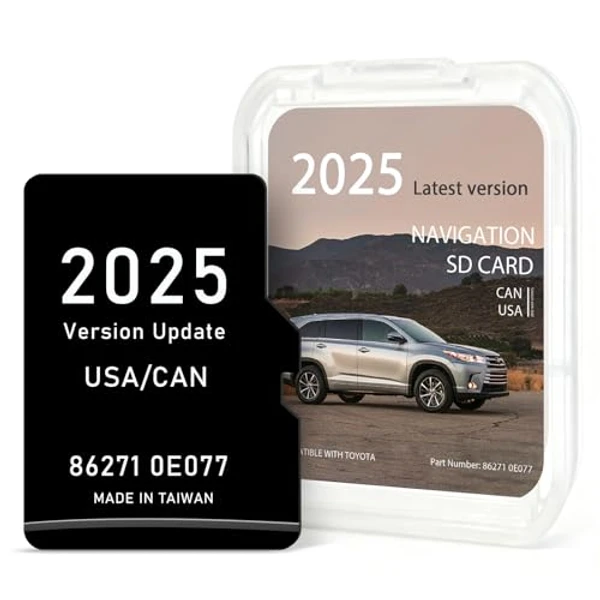
Navtimi 2025 Toyota Navigation SD Card
|
2025 | USA, Canada, Mexico |
|
$$ Check Price |
Installation Guide for Your Toyota Corolla
1. Turn off engine and remove key. 2. Locate the SD slot below the main Entune display screen on the dashboard. 3. Gently press the existing card to eject. 4. Insert the new card firmly until it clicks. 5. Start engine, then allow 2-3 minutes for the Entune Premium system to load the latest map data for your commute.
Important: Toyota Corolla Compatibility
Only for Corolla trims with factory navigation (e.g., S Plus, LE Eco Premium). Most Corolla trims (L, LE, SE, XLE, XSE without specific packages) do not include factory navigation and lack an SD card slot.
Toyota Corolla Features
Common Issues
- The vast majority of 2014-2019 Corollas did NOT come with factory navigation, leading to frequent confusion
- Base trim owners (L, LE) often try to add navigation via an SD card, which is not possible without hardware
- Ensuring the SD card is fully inserted and recognized by the specific Entune Premium Audio system
Toyota Corolla Trim Compatibility
Compatible Trims
- S Plus (with Premium Audio)
- LE Eco Premium
Not Compatible
- L
- LE
- SE
- XLE
- XSE (base trims without factory nav package)